
HeroTrader Setup Guide & FAQ
On this page
HeroTrader is the platform to chart and trade your FundedHero Futures accounts in your browser: real-time charts, depth of market, one-click execution, automatic protections and a built-in trade copier. Sign your dxFeed agreement first, then sign in with the login from your dxFeed / Volumetrica email.
Set up HeroTrader
- Sign your dxFeed agreement firstLog in at dxfeed.fundedhero.com and sign the agreement it shows you. Do this before anything else.
- Find your loginUse the username and password that dxFeed and Volumetrica emailed you after purchase (check spam or promotions). It is the same login for HeroTrader, so there is nothing new to create.
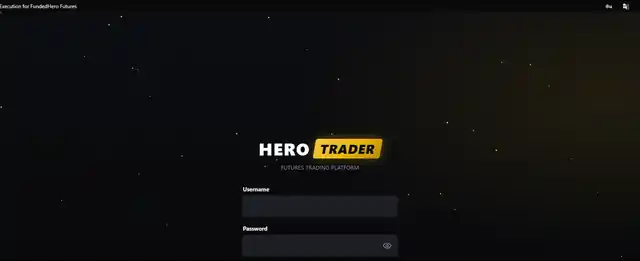
- Sign in to HeroTraderGo to app.herotrader.io, type your username and password, and press Enter. Your funded accounts load by themselves.
- Try PRACTICE firstPRACTICE is a $150K demo account over the real live price, so you can train your setups with no real money before switching to your funded account.
Trading on HeroTrader
| To do this | Use |
|---|---|
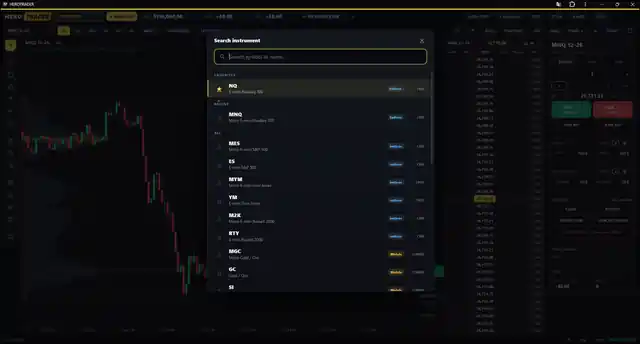
| Pick an instrument | Click the symbol at the top-left to search any future (NQ, MNQ, ES, MES, GC, CL and more). Star your favorites so they stay on top. |
| Place an order | In the order ticket choose Market, Limit or Stop, set the size (type it or use the presets 1, 2, 3, 5, 10), then press BUY +1 or SELL −1. JOIN BID / JOIN ASK places a passive limit at the best bid or ask. |
| Set stop-loss and take-profit | Use BRACKET: set STOP and TARGET (in ticks or dollars) before you enter and HeroTrader attaches them when your order fills. TRAILING STOP activates at a profit you choose, then trails the price by your distance. |
| Manage a position | CLOSE flattens the instrument, REVERSE flips long and short, BREAK-EVEN moves your stop to your entry, CANCEL ORDERS removes working orders but keeps the position. |
| Emergency stop | FLATTEN ALL closes every position and cancels every order on all instruments. |
| Fast entries | Open DOM to see resting orders at each price, and SCALP for a floating one-click pad (BUY, SELL, Join Bid, Join Ask). |
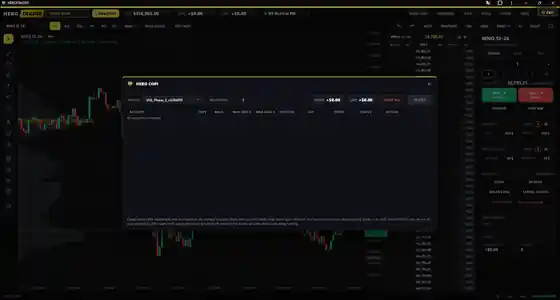
| Copy to other accounts | HERO COPI: pick a Master and a Multiplier, turn on the copies and press START. It runs on the server, so it keeps copying even if you close the browser. Set Max loss / Max gain per account if you want limits. |
| Review your results | Open CALENDAR for a day-by-day P&L journal per account, built from your own fills. |
| Language and chart look | SETTINGS switches the app between English and Español and changes candle type, colors and more. |
| Avoid accidental trades | Turn on LOCK to freeze the order panel whenever you step away from the screen. |
Frequently asked questions
Do I need to sign anything before I start?
Yes. Sign your dxFeed agreement first. Log in at dxfeed.fundedhero.com and sign the agreement it shows you before you sign in to HeroTrader or set up any other platform.
Is there a practice account?
Yes. PRACTICE is a $150K demo account over the real live price, with no real money. Use it to train your setups before you switch to your funded account.
What does FLATTEN ALL do?
FLATTEN ALL is the emergency stop. It closes every open position and cancels every working order on all instruments at once.
Can I copy one account to my others?
Yes, with HERO COPI. Pick a Master account and a Multiplier, turn on the copies you want and press START. It runs on the server, so it keeps copying even if you close the browser. You can also set a Max loss and Max gain per account.
Is HeroTrader available in Spanish?
Yes. Open SETTINGS and switch the app between English and Español.


